Trade Show & Event Printing in the Greater Toronto Area
Trade shows, exhibitions and events move fast, and your brand needs to stand out instantly. Sherwood Digital Print & Sign provides event printing and displays solutions so that businesses across the Greater Toronto Area can make strong first impressions. From eye‑catching signage and large‑format graphics to pop‑up displays and branded event structures, we help you show up prepared, professional, and memorable.

What We Can Do

Trade Show & Promotional Graphics Catalogue
Custom branded materials that turn heads — and grow your business.
Designed for:
small businesses
startups
realtors
educators
nonprofits
restaurants
gyms
and more!
01
10x10 Custom Canopy/Tent
Your brand, front and centre, rain or shine.
✦ Popular sizes: 10'x10', 10'x20'
✦ Home/office use: outdoor events, pop-up shops, home business branding
✦ Best for: real estate, food vendors, retail pop-ups
03
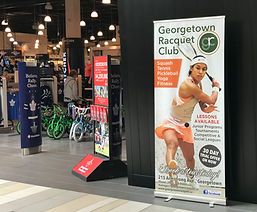
Roll-up/Retractable Banners
Unroll your message with confidence.
✦ Popular sizes: 23"x85", 34"x85", 47"x85"
✦ Home/office use: office wayfinding, motivational quotes, product highlights
✦ Best for: gyms, recruiters, legal offices
05
Large Backdrops (Trade Show & Photo)
Step into the spotlight — every time.
✦ Popular sizes: 8’x8’, 10’x10’, 12’x8’
✦ Home/office use: zoom backgrounds, Instagram walls, virtual meetings
✦ Best for: photographers, fashion brands, tech companies
07
Promotional Items (Branded Swag)
Little items that leave a big impression.
✦ Popular products: pens, lanyards, notepads, magnets, keychains, USB drives
✦ Home/office use: client gifts, employee appreciation, personal branding
✦ Best for: insurance agents, realtors, event planners
09
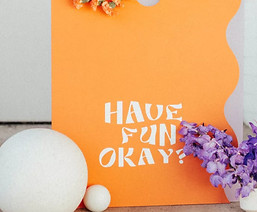
Custom Posters & Flyers
Printed passion for every purpose.
✦ Popular sizes: 11"x17", 18"x24", 24"x36"
✦ Home/office use: local events, garage sales, office announcements
✦ Best for: music teachers, fitness trainers, local businesses
02
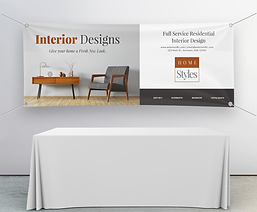
Custom Table Covers & Runners
Dress your booth in brand brilliance.
✦ Popular Sizes: 6’ table cover, 8’ table cover, runners (10”–12” height)
✦ Home/office use: home office desks, open houses, school events
✦ Best for: wedding planners, schools, tech startups
04
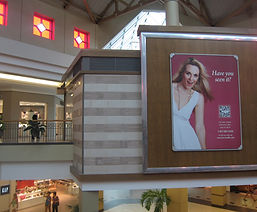
Vinyl Hanging Banners
Hang it high, let it shine.
✦ Popular sizes: 2’x4’, 3’x6’, 4’x8’, 6’x10’
✦ Home/office use: garage sales, local promotions, seasonal decor
✦ Best for: restaurants, churches, municipalities
06
Portable Display Panels (Pop-up Displays)
Professional power in a portable package.
✦ Popular sizes: 3’x6’, 6’x6’, 6’x8’, 8’x8’
✦ Home/office use: freelancers, consultants, remote professionals
✦ Best for: universities, coaches, artists
08
Name Badges & Lanyards
Name recognition; professionally presented.
✦ Popular sizes: standard badge (2"x3.5"), lanyard lengths vary
✦ Home/office use: family reunions, small conferences, office IDs
✦ Best for: conventions, schools, hospitals, corporate events
10
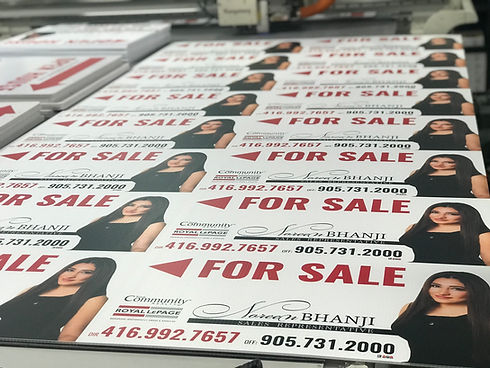
Directional & Wayfinding Signs
Point them in the right direction — stylishly.
✦ Popular sizes: 12"x18", 18"x24", 24"x36"
✦ Home/office use: event signage, rental property directions
✦ Best for: hotels, wedding venues, business parks
How to Use Canva for Your Printing or Signage Design
Canva is a free, easy-to-use online tool perfect for creating professional designs like flyers, signs, and brochures. Here’s a step-by-step overview:
Step 1: Start Your Design
-
Go to www.canva.com and log in or sign up for a free account
-
Click “Create a design” and choose a template (e.g., Poster, Brochure, A4, Business Card)
༚ Or choose “Custom Size” to enter your own dimensions
Step 2: Customize Your Design
1. Use Canva’s drag-and-drop tools to add:
༚ text, logos, images, and icons
༚ your branding (colours, fonts)
2. Browse templates for inspiration or start from scratch
3. Keep text and key elements away from the edge (this helps with clean trimming when printed)
Step 3: Prepare for Printing
1. Click “File” > “Show Print Bleed” to make sure nothing important is too close to the edge
2. If your printer requires it, leave a 3 mm (0.125 inch) margin around the design

Step 4: Download a Print-ready File
1. Click “Share” > “Download”.
2. Choose:
༚ File type: PDF Print (best for professional results).
༚ Options: Tick “Crop marks and bleed.”
3. Click Download and your file will be ready to send to any print shop.